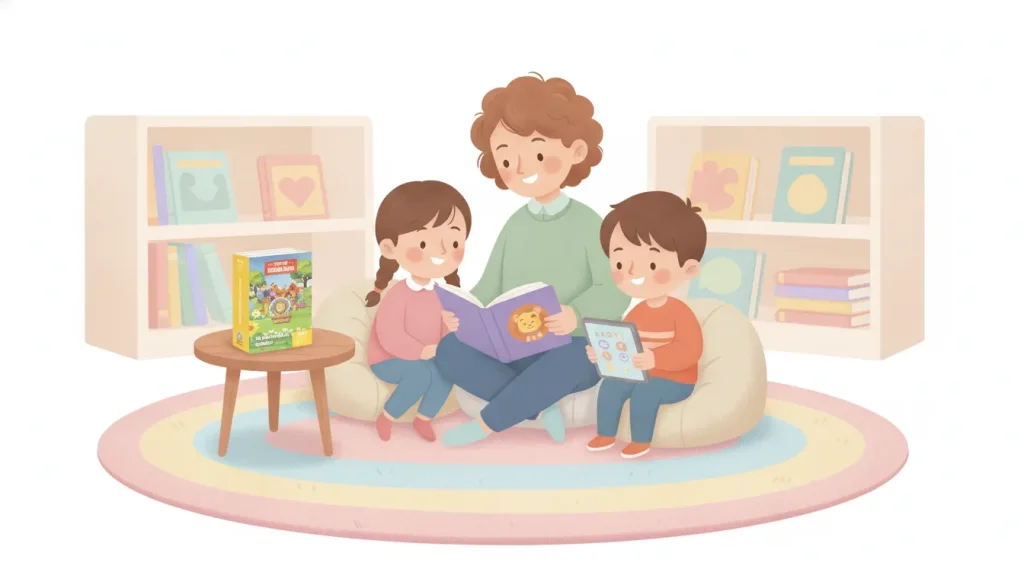
A decodable books app can give an early reader extra time with words, sentences, and short stories. The best digital practice does more than place a book on a screen. It gives children text that matches the phonics patterns they have been taught, encourages them to look at the letters, and leaves room for a teacher or parent to listen and respond.
Shop Little Lions Literacy decodable books
Apps can be useful for a short home routine, an independent practice station, or a supplement to small-group instruction. They should not replace explicit phonics teaching, conversation, handwriting, or time with physical books. Use this guide to evaluate an app, plan a productive session, and connect digital reading to a structured print collection such as the Little Lions Literacy decodable books.
Decodable text is written to give a reader a high proportion of words that can be read with the phonics knowledge already taught. A child still meets some high-frequency words and vocabulary that require explanation, but the reading task should not depend on guessing from pictures or memorizing every sentence. The goal is to apply sound-symbol knowledge in connected text.
That distinction matters on a tablet. An app can look educational while doing most of the reading for the child. If every word is automatically narrated, animated, or revealed after a tap, the child may enjoy the story without practicing the target skill. A stronger app makes listening available as support while keeping the printed words visible and giving the child a clear opportunity to decode.
The What Works Clearinghouse practice guide on foundational skills in kindergarten through third grade recommends developing students’ awareness of sound segments, connecting those segments to letters, and giving children opportunities to decode words in text. A digital tool can support those activities when it fits into that instructional sequence.
Parents and educators do not need a long list of special effects. They need evidence that the app supports accurate reading at the learner’s current level. Ask the following questions before starting a subscription or downloading a library.
For a broader print comparison, the Reading Rockets guide to using decodable books emphasizes matching text to the phonics features children know. The same principle applies to a digital library: the format changes, but the instructional match still matters.
Many early-literacy apps are valuable, but they do different jobs. A read-aloud app may build language, background knowledge, listening comprehension, and enjoyment of stories. A phonics game may give practice with letter names, sounds, blending, or spelling. A decodable reading app should give the child a chance to apply those skills to connected words and sentences.
| Tool type. | Primary job. | What the child usually does. | Best adult question. |
|---|---|---|---|
| Decodable reading app. | Apply taught phonics in text. | Looks at print, blends or reads words, and rereads a short story. | Does the text match the child’s current phonics knowledge? |
| Read-aloud or e-book app. | Build language and story knowledge. | Listens, discusses pictures, retells, and learns vocabulary. | What can we talk about and understand together? |
| Phonics game. | Practice a focused sound or word skill. | Sorts, matches, blends, segments, or spells. | Which skill is being practiced, and is feedback accurate? |
| Digital worksheet. | Rehearse recognition or written responses. | Traces, selects, types, or completes short tasks. | Will the activity transfer to reading and spelling? |
A child can benefit from all four formats. The mistake is treating them as interchangeable. Listening to a fluent narrator is not the same as decoding. Tapping a picture is not the same as blending. Use each tool for its real purpose, and name that purpose for the child.
A digital reading session works best when it is brief, predictable, and interactive. Ten to fifteen focused minutes can be more useful than a long session in which the child watches the app do the work. Keep the tablet on a stable surface, sit close enough to hear the reading, and end while the child still feels successful.
If the child cannot read most of the words even with support, the app is probably too difficult for independent practice. Move to an easier level, return to a previously successful story, or ask the teacher which patterns have been taught. You can also use the practical guidance in decodable books for beginning readers to think about readiness and text difficulty.
A classroom does not need one device per child to use digital decodable text responsibly. One tablet can serve as a teacher-led model, a partner station, or a short recording center. Plan the literacy target first, then decide whether the app adds something that print alone does not.
One student reads a sentence from the app while the other tracks the words. Partners switch after a page or two. The listener points out one word that matches the target pattern and asks one meaning question. Keep the roles simple so the activity stays about reading rather than managing the device.
Before opening a story, write three target words on a whiteboard. After reading, students find those words on the screen and explain the sound-spelling connection. They can then change one phoneme with letter tiles and read the new word. This turns a digital text into a bridge between phonics, word building, and connected reading.
Use a familiar story for a first quiet read, a second partner read, and a final performance read. Students can record themselves only if the classroom has a clear privacy policy and the tool does not require unnecessary accounts. The teacher listens for accurate decoding, phrasing, and attention to punctuation instead of rewarding the fastest reader.
After the digital story, students draw the beginning, middle, and end or sketch the problem and solution. They label one part with a word from the text. This makes comprehension visible and prevents a phonics station from becoming a word-calling exercise without meaning.
Read a short digital story, then place a related print decodable book at the table. Ask students to notice one feature that carries over, such as a short-vowel pattern, a repeated sentence frame, or a new word. The purpose is not to compare screens and paper as competitors. It is to help children understand that the same reading habits work across formats.
For more classroom planning ideas, see how to use decodable books in the classroom, decodable books for independent reading, and decodable books for tutoring. Those print-focused routines can be adapted to a digital station without changing the phonics goal.
Digital practice is not automatically better practice. A child may need direct teaching if they cannot yet hear the sounds in a word, confuse several letter-sound correspondences, or rely on the pictures and audio for every answer. A teacher may also choose print when the child needs pencil control, word building, multisensory work, or close observation of reading behaviors.
Watch for signs that the app is creating a barrier. The child may swipe randomly, skip every challenging word, repeat the audio without looking at print, or become upset by points and timers. Turn off unnecessary rewards, sit beside the reader, or move the practice to a print book. If the difficulty continues, share the observation with the child’s teacher or reading specialist.
Screen use also needs a clear boundary. The National Association for the Education of Young Children’s guidance on making smart decisions about media use emphasizes intentional, developmentally appropriate use and the importance of adult interaction. A short shared reading routine is different from unrestricted entertainment time.
Physical books add benefits that a screen cannot fully reproduce. Children can hold the page, slide a finger under a word, mark a response, compare two books on a table, and return to a favorite story without opening a menu. Adults can place sound cards, whiteboards, or word tiles beside the book. These simple actions make the reading routine visible and easy to repeat.
Little Lions Literacy organizes its decodable books in four progressive print sets. Set 1 focuses on short vowels, digraphs, the FLOSS rule, and blends. Set 2 adds long vowels, two-syllable words, and glued sounds. Set 3 covers long i and e patterns plus vowel-team syllables, while Set 4 adds diphthongs, vowel teams, open syllables, and silent letters. Each set is a print resource, not an app, so describe it accurately as a companion for structured reading practice.
Parents can pair one short digital session with a few pages of a print book. Teachers can use a digital story to model a routine, then place a physical book in a small group for repeated reading. If a reader needs a more systematic sequence, review how to choose decodable books by phonics skill rather than selecting only by age or colorful artwork.
Shop Little Lions Literacy decodable books for structured print practice
No. An app can provide useful practice, but it is one part of literacy instruction. Children also need explicit teaching, oral language, phonemic awareness, spelling or writing, feedback from a knowledgeable adult, and opportunities to understand stories. Use the app to rehearse a skill that has been taught rather than expecting it to create a complete reading curriculum.
Audio can support access, vocabulary, and a fluent reread. It should not remove the child’s first opportunity to decode. Let the child try the words, give a small prompt, and then offer audio when it helps. For a beginning reader, the adult’s calm coaching is often more useful than an automatic answer.
Look for a visible scope and sequence, a preview of target words, and text that matches taught phonics features. Read a page yourself and mark words that contain patterns the child has not learned. If most of the story must be guessed, memorized, or supplied by narration, it is not a good match for decodable practice at that level.
It is better to use both formats for different purposes. Digital text can make repetition convenient and offer accessibility controls. Physical books support tactile tracking, writing, word building, and shared routines without device distractions. Pair a short digital activity with print reading, conversation, and a comprehension response.
Do not force the match. Choose a story the student can read with reasonable accuracy, or use the app for a different purpose such as listening comprehension. Ask the teacher or interventionist which phonics feature is current, then select digital and print texts that reinforce that same feature. A well-matched easy text is more useful than a flashy difficult one.
A good decodable books app is a practice tool, not a shortcut around instruction. Choose a library with a clear phonics progression, preserve time for the child to decode, talk about the story, and connect the session to print. When parents and educators treat the screen as one flexible part of a larger reading routine, children can build accuracy, confidence, fluency, and understanding together.
Then select the next digital or print text from the child’s actual phonics knowledge. The most effective resource is the one that makes the next successful reading step clear.